Academic management
From admission to report card, typed once.
Registers, spreadsheets and separate apps mean the same student details get typed again and again. Scholva connects admissions, timetables, attendance, exams and report cards, so a record entered once shows up everywhere it is needed.
- Free for up to 200 students
- No credit card required
- iPhone, Android and web
What Academics takes off your plate.
The everyday work this module handles, and the details that come with it.
Admissions
Replace paper applications with online forms. Documents are uploaded once, applicants can be ranked on your criteria and admitted students are placed in sections.
Student lifecycle
Academic history, health notes and family details live in one profile, from admission day to graduation. No more hunting through filing cabinets.
Timetabling
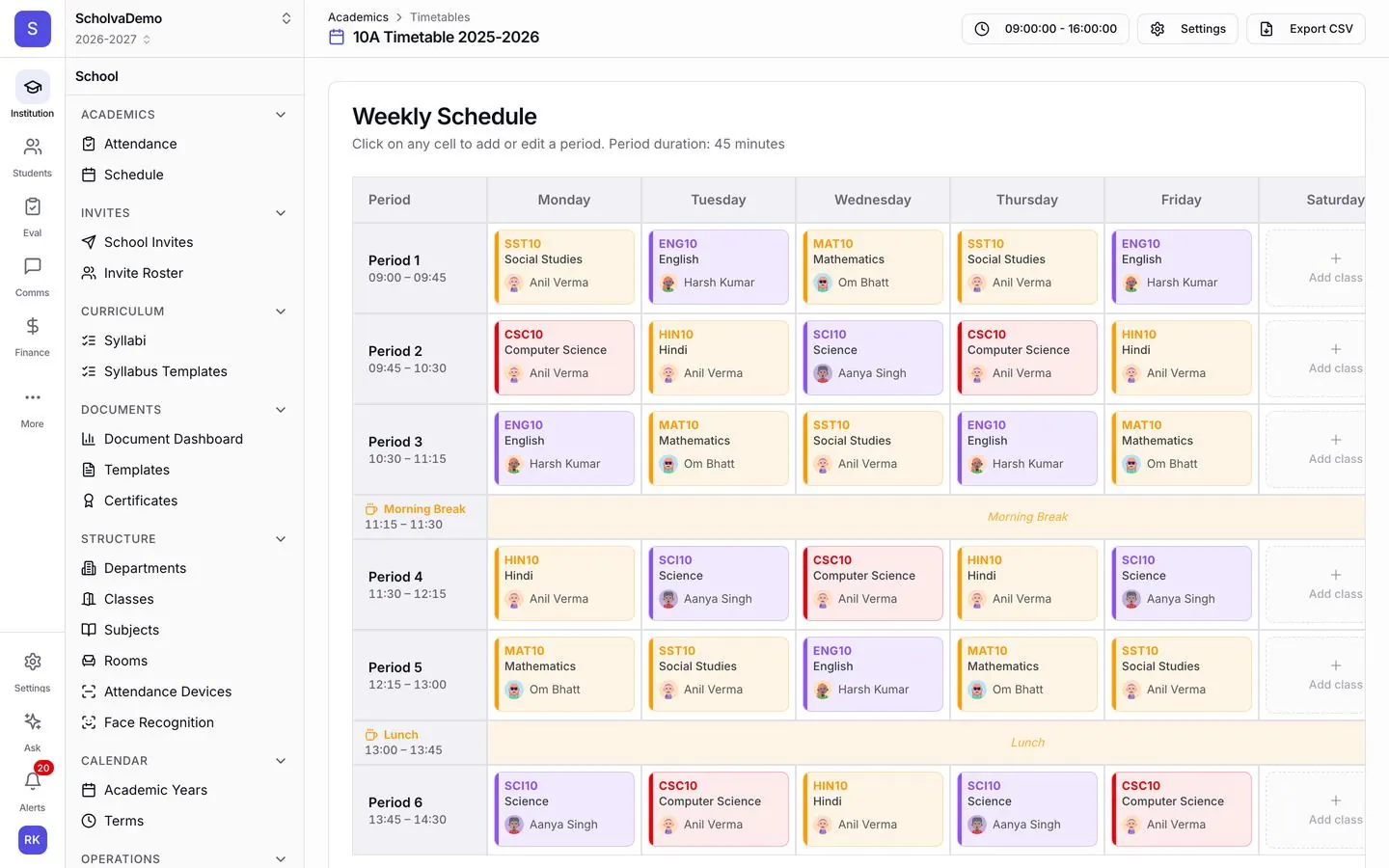
Set teacher availability and subject loads, then build a conflict-free weekly timetable. When a teacher is absent, arrange a substitute from the same screen.
Attendance
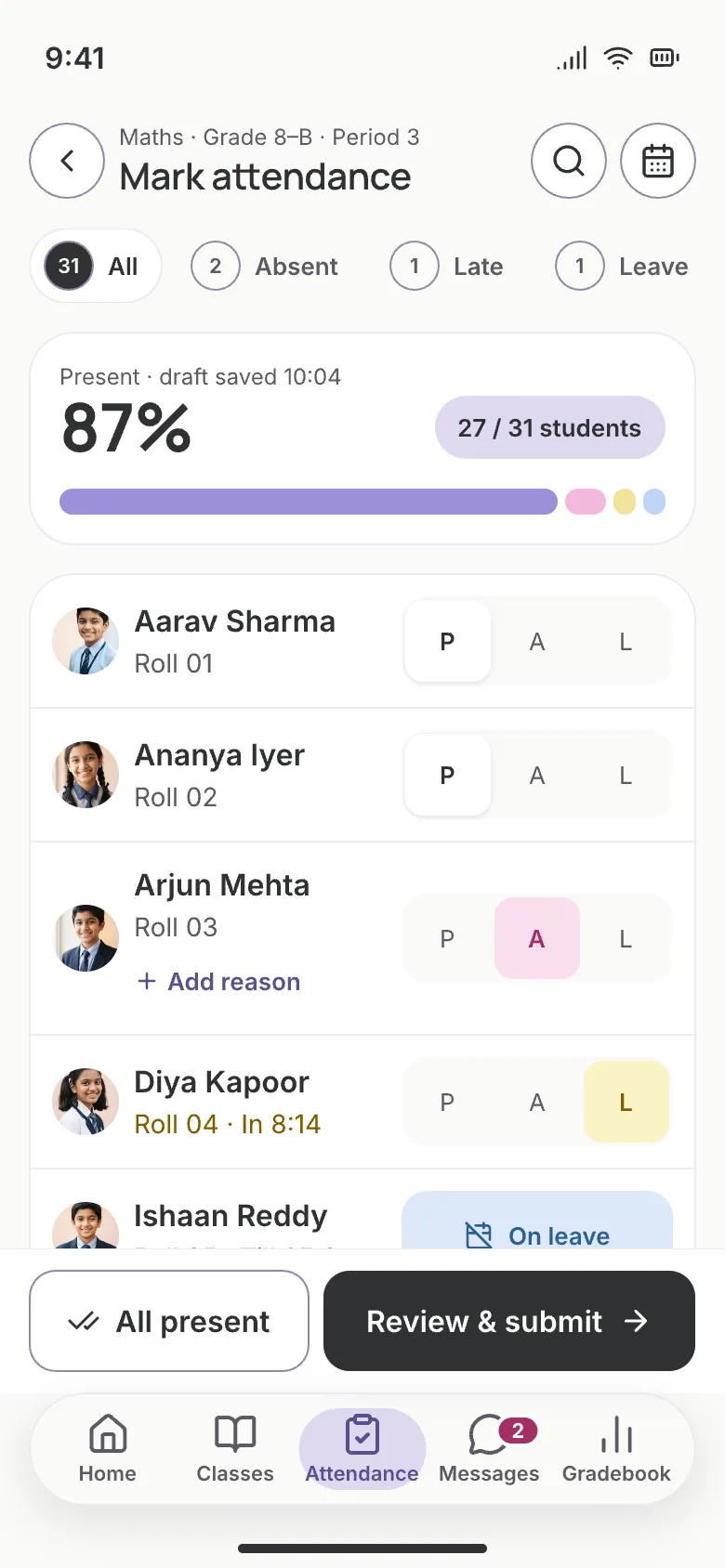
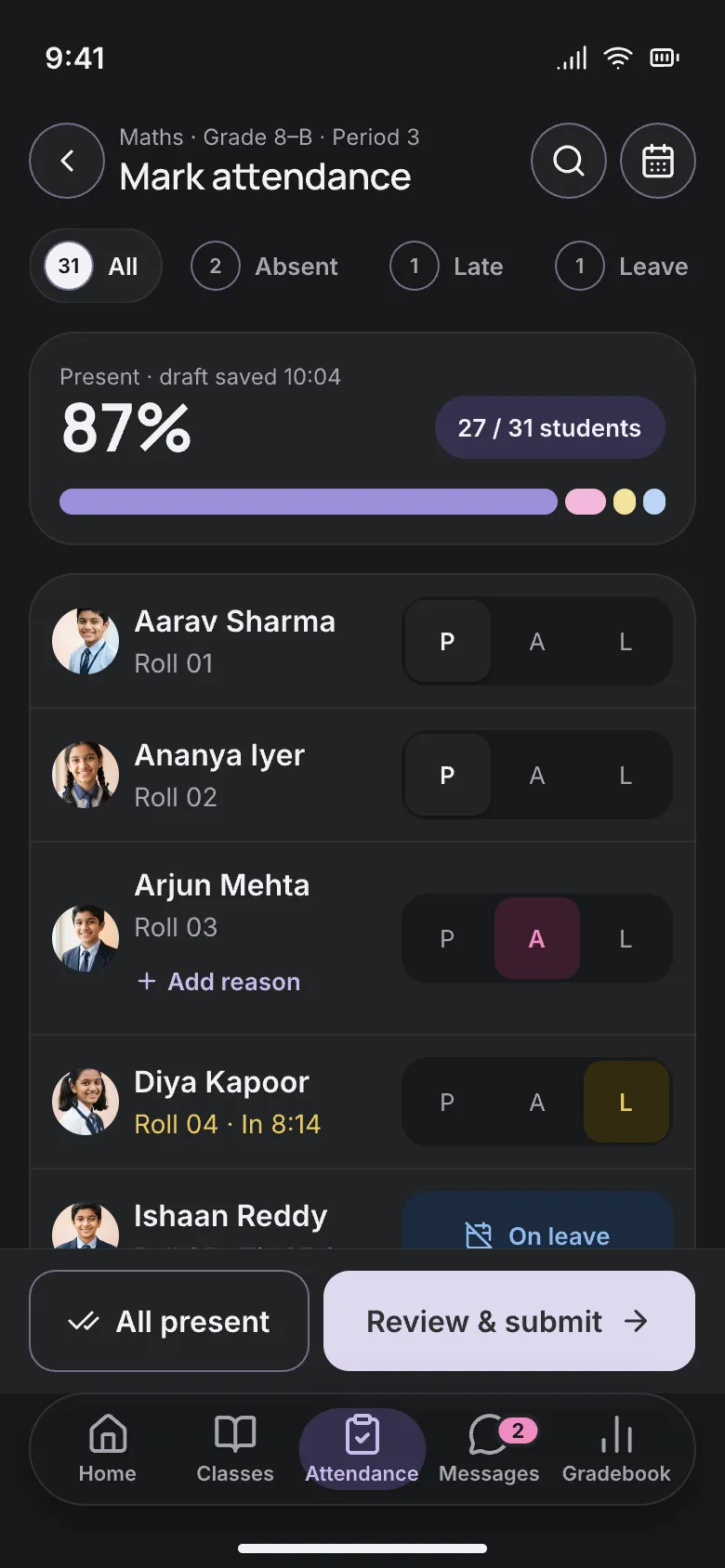
Teachers mark a class with one tap per student. Parents are told about absences, and monthly and term summaries build themselves from the daily marks.
Exams
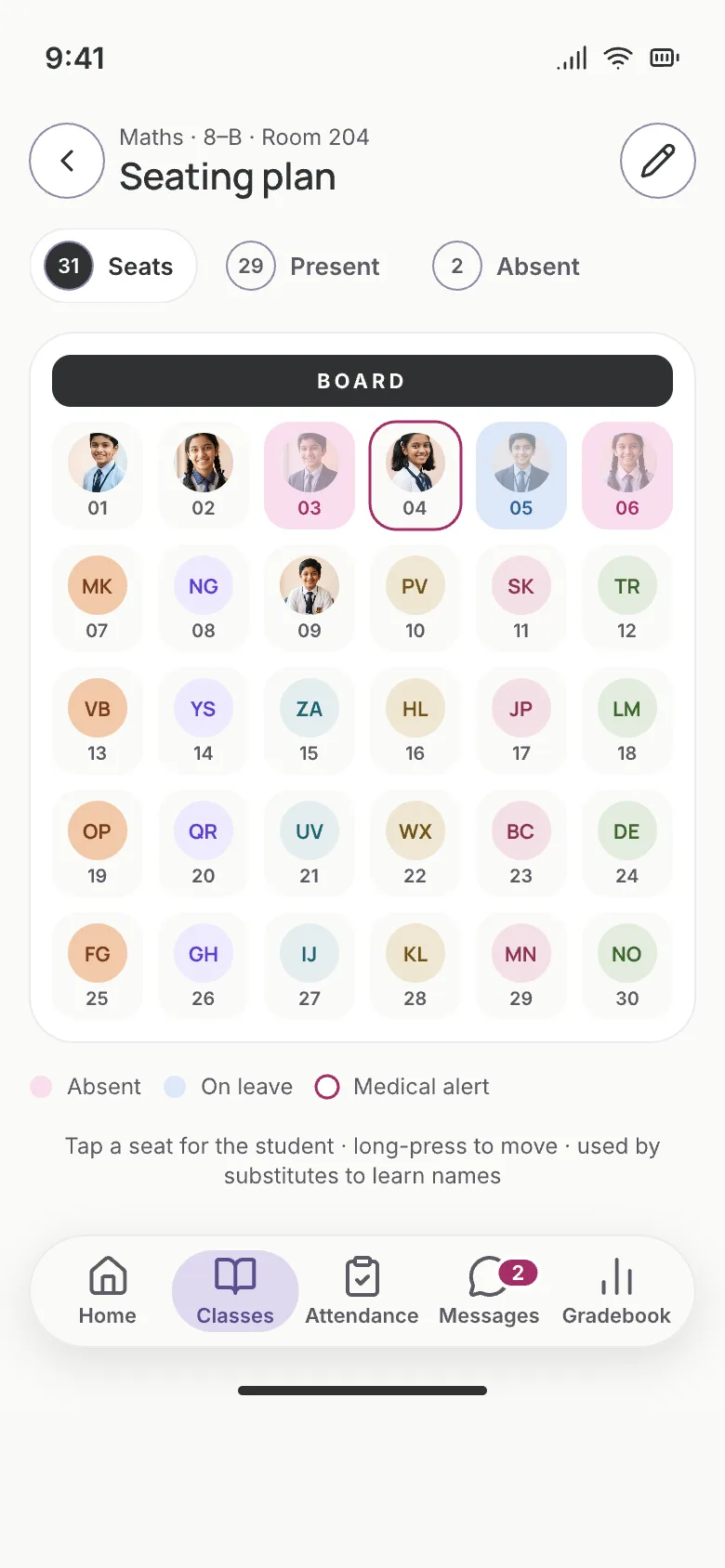
Plan exam schedules, seating and hall tickets in one place. Works with CBSE, ICSE, state boards and your own formats.
Report cards and grading
Configure marks, grades or GPA once and report cards are produced from the marks teachers enter. Print them or share them with parents online.
Also included
- Department management
- Subject mapping
- Class sections
- Academic years
- Term configuration
- Room allocation
- Programs for higher education
How it works
Up and running in 3 steps.
Our team helps you set up and import your data, then the module runs as part of the everyday work.
Configure your school
Set up academic years, terms, classes, sections and subjects. Import existing students from a spreadsheet or add them by hand.
Run the day
Mark attendance, publish timetables, set assignments and conduct exams from the same dashboard.
Share the results
Produce report cards, attendance summaries and performance reports, and share them with parents in the portal.
Connected by design.
Academics is the shared record the other modules read from: fees follow enrolment, transport follows student stops, assessments follow subjects and portals show all of it to parents and students.
Explore other modules
14 modules, one shared record.
Analytics
Spot attendance dips, fee defaults and exam-score slides before the term ends.
Learn moreVisitor Management
Gate passes with photo capture, host notifications and blacklist alerts.
Learn moreInventory
Tag every asset, track consumables and vendors, and raise purchase orders.
Learn moreAlumni
A graduate directory, event RSVPs, donations and record verification.
Learn moreQuestions, answered.
What schools usually ask about Academics. Anything else, our team is happy to help.
Stop typing the same student twice.
Free for up to 200 students. Our team helps you set up, import your data and train your staff.