Role-based portals
Every role gets its own home screen.
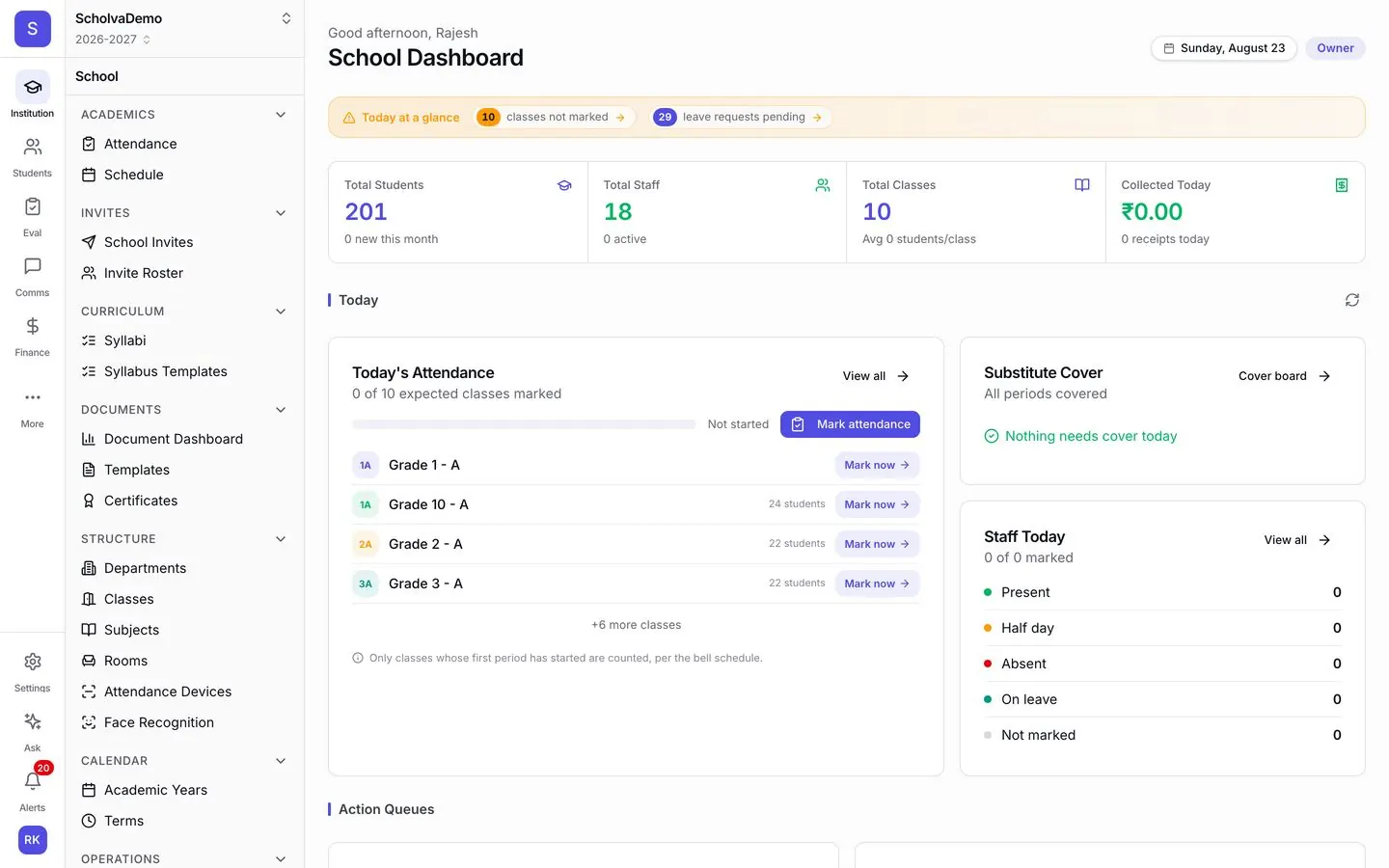
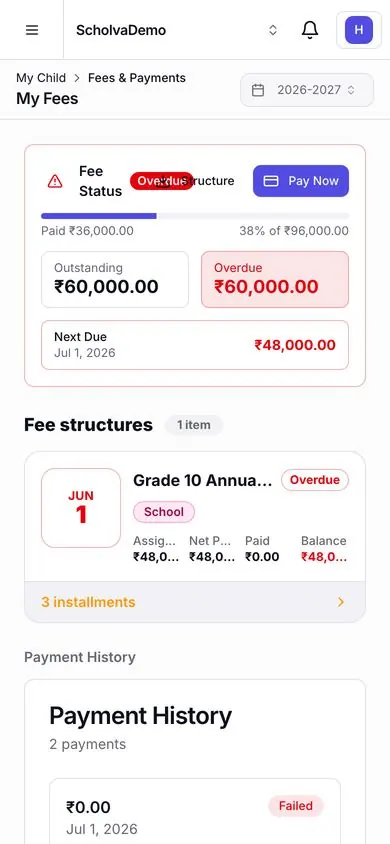
Fee balance, attendance, bus timing, report card: most calls to the front desk are questions a parent could answer themselves. Scholva gives parents, teachers, students and administrators their own dashboards on web and mobile, each showing what that person needs.
- Free for up to 200 students
- No credit card required
- iPhone, Android and web
What Stakeholder Portals takes off your plate.
The everyday work this module handles, and the details that come with it.
Admin dashboard
Enrolment, fee collection, attendance and staff on one screen, current as of now. No more asking five people for five numbers.
Teacher portal
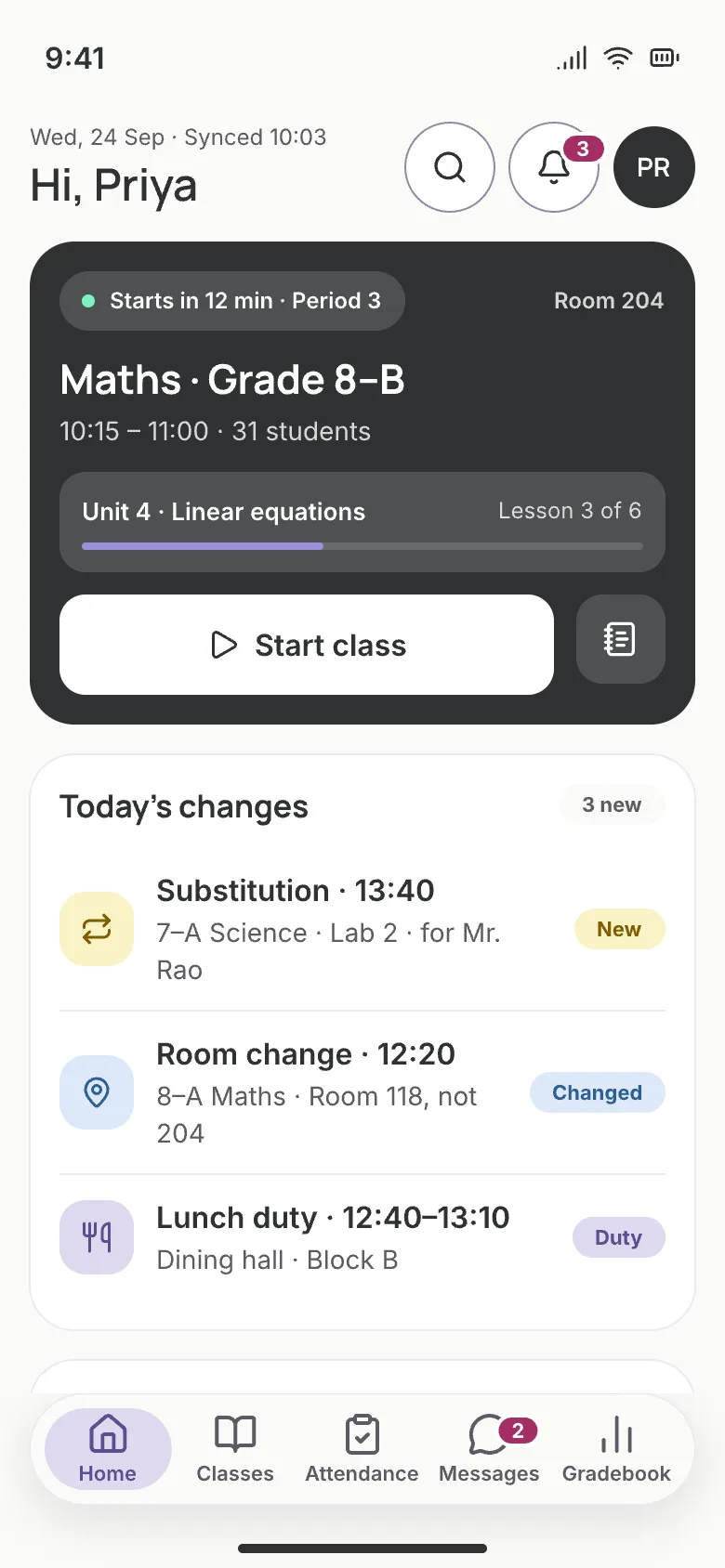
Teachers mark attendance, enter marks, share resources and message parents from one place, and it all flows into the school record.
Parent portal
Parents check attendance, marks, fees, homework and the bus themselves. Families with more than one child see everyone in one view.
Mobile app
Parents, students and teachers get push notifications for what matters, with offline access for patchy connections.
Student self-service
Students see their timetable, assignments, marks and exam schedule, submit homework and take tests from any device.
Role-based access
Everyone sees only what they should: teachers their classes, parents their children. You decide access down to each module.
Also included
- Multi-language support
- Push notifications
- Email and SMS alerts
- School branding
- School login codes
- Linked accounts for families
How it works
Up and running in 3 steps.
Our team helps you set up and import your data, then the module runs as part of the everyday work.
Invite your people
Add staff by email or phone and assign roles. Share school login codes with parents and students.
Everyone signs in
Each person lands on a dashboard for their role: parents see their children, teachers their classes, admins the whole school.
Stay in touch
Announcements reach the right audience and teachers and parents message each other inside the app.
Connected by design.
Portals are the front door to every module: academic records, fee payments, bus tracking, test results and dashboards all appear in the view that fits each role.
Explore other modules
14 modules, one shared record.
Visitor Management
Gate passes with photo capture, host notifications and blacklist alerts.
Learn moreInventory
Tag every asset, track consumables and vendors, and raise purchase orders.
Learn moreAlumni
A graduate directory, event RSVPs, donations and record verification.
Learn moreBehavior & Discipline
Log incidents in minutes, track resolutions, notify parents and follow up with support plans.
Learn moreQuestions, answered.
What schools usually ask about Stakeholder Portals. Anything else, our team is happy to help.
Let families find the answer before they call.
Free for up to 200 students. Our team helps you set up, import your data and train your staff.