Transport management
Every bus, every stop, visible to parents.
Mornings at the front desk fill up with calls asking where the bus is. Scholva puts routes and stops on a map, logs who boarded where and keeps parents informed as the bus approaches, so the office can get on with the day.
- Free for up to 200 students
- No credit card required
- iPhone, Android and web
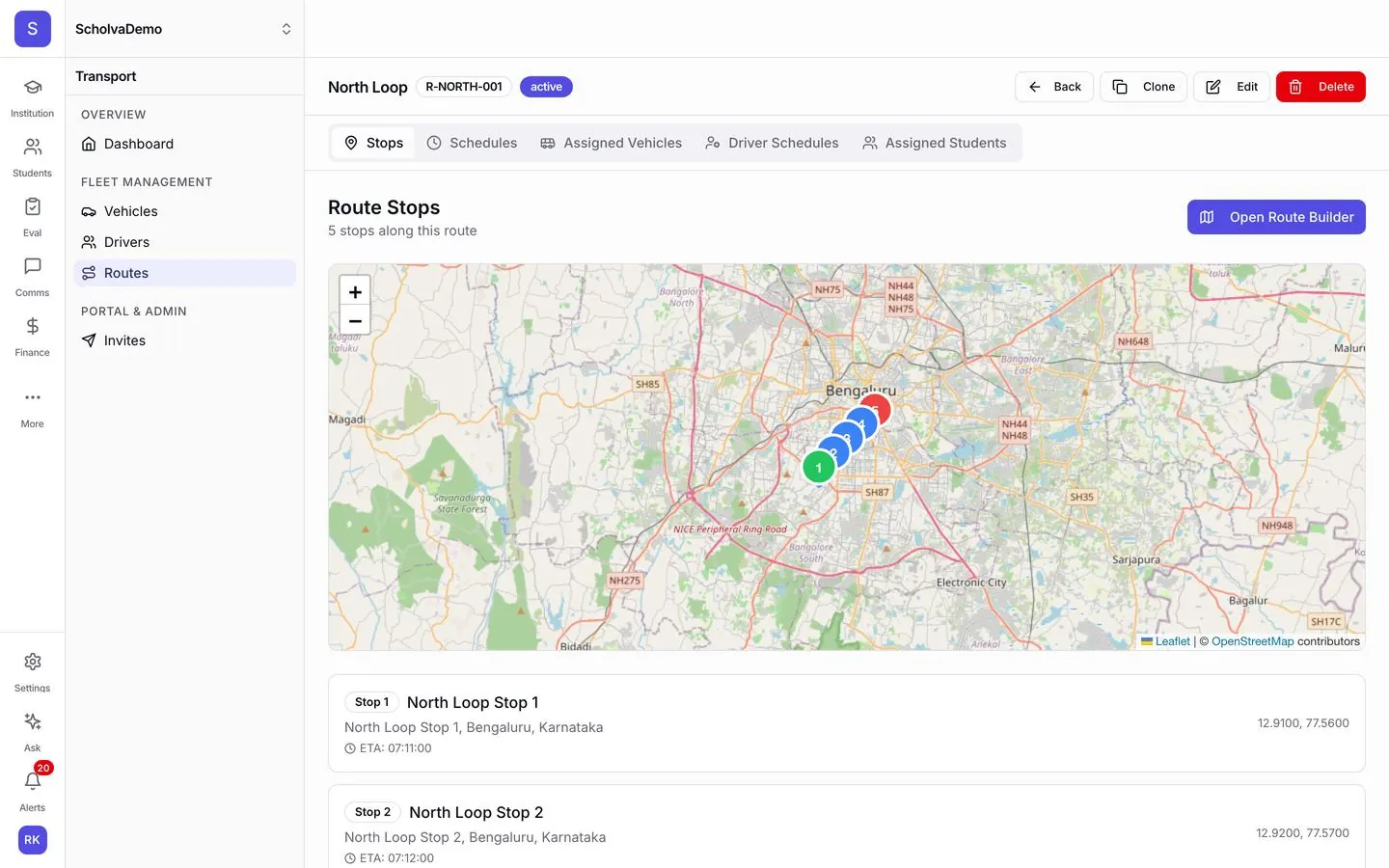
What Transport takes off your plate.
The everyday work this module handles, and the details that come with it.
Live tracking
See every vehicle on one map, and let parents see their child's bus. Route deviations and trip history are there when you need to check what happened.
Routes and stops
Plot stops on a map with an ETA for each and assign students to them. Adjust a route in minutes when students join or leave.
Parent alerts
Parents are told when the bus is close to their stop, when it arrives and when it is running late, without calling the school.
Boarding logs
Record which child boarded at which stop. If a student does not board, parents and the school can be alerted straight away.
Drivers and vehicles
Keep driver details, licence expiry dates and vehicle records in one place. An emergency broadcast reaches every parent on a route at once.
Transport fees
Charge by distance or zone and bill through the fee module, so transport charges appear on the same parent invoice and receipt.
Also included
- Vehicle maintenance schedules
- Fuel logs
- Holiday calendar
- Emergency broadcasts
- Driver mobile app
- Route reports
- Customer self-service for operators
How it works
Up and running in 3 steps.
Our team helps you set up and import your data, then the module runs as part of the everyday work.
Set up fleet and routes
Add vehicles, drivers and routes. Place stops on the map and assign students to them.
Run the trips
Drivers start and end trips from the app and record boarding. The office sees every bus and every alert in one place.
Review and adjust
Look back at trip reports and boarding records, then tune routes and stops for the next term.
Connected by design.
Transport reads student assignments from Academics, bills through Fee Management, shows bus status to parents in Portals and reports fleet performance in Analytics.
Explore other modules
14 modules, one shared record.
Assessments
Question banks, online tests, auto-grading and topic-level gap analysis.
Learn moreVisitor Management
Gate passes with photo capture, host notifications and blacklist alerts.
Learn moreInventory
Tag every asset, track consumables and vendors, and raise purchase orders.
Learn moreAlumni
A graduate directory, event RSVPs, donations and record verification.
Learn moreQuestions, answered.
What schools usually ask about Transport. Anything else, our team is happy to help.
Fewer calls about the bus, starting this week.
Free for up to 200 students. Our team helps you set up, import your data and train your staff.