Assessment platform
Tests that mark themselves, and show the gaps.
Correcting papers eats weekends, and results often arrive too late to change anything. Scholva grades objective questions as soon as a student submits, helps teachers score written answers against a rubric and shows which topics a class is struggling with.
- Free for up to 200 students
- No credit card required
- iPhone, Android and web
What Assessments takes off your plate.
The everyday work this module handles, and the details that come with it.
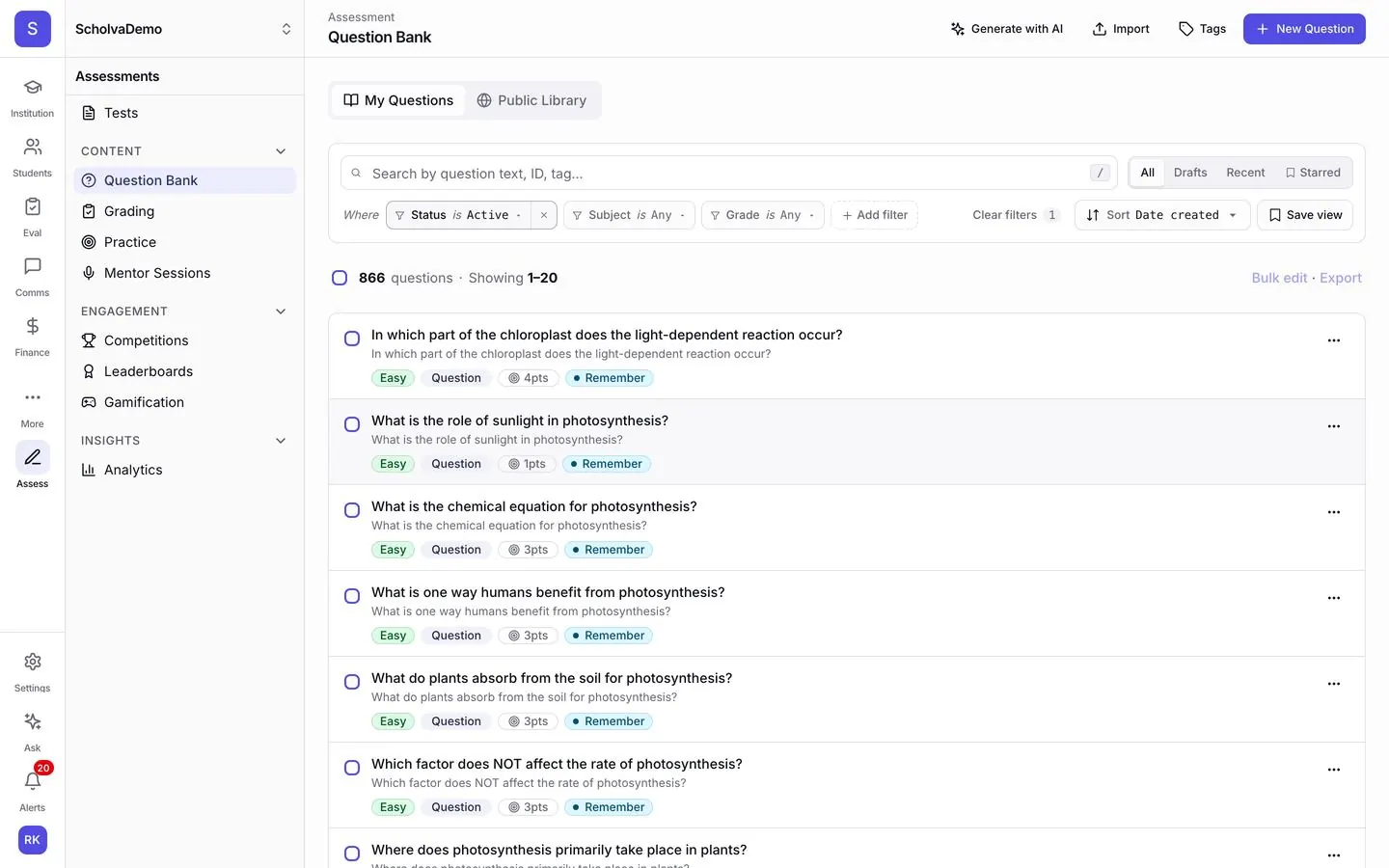
Question bank
Organise questions by subject, topic, difficulty and Bloom's level. Import what you already have and reuse it every exam cycle.
Online tests
Pick questions, set the time and assign the test to classes. Students take it on any device, and answers save as they go.
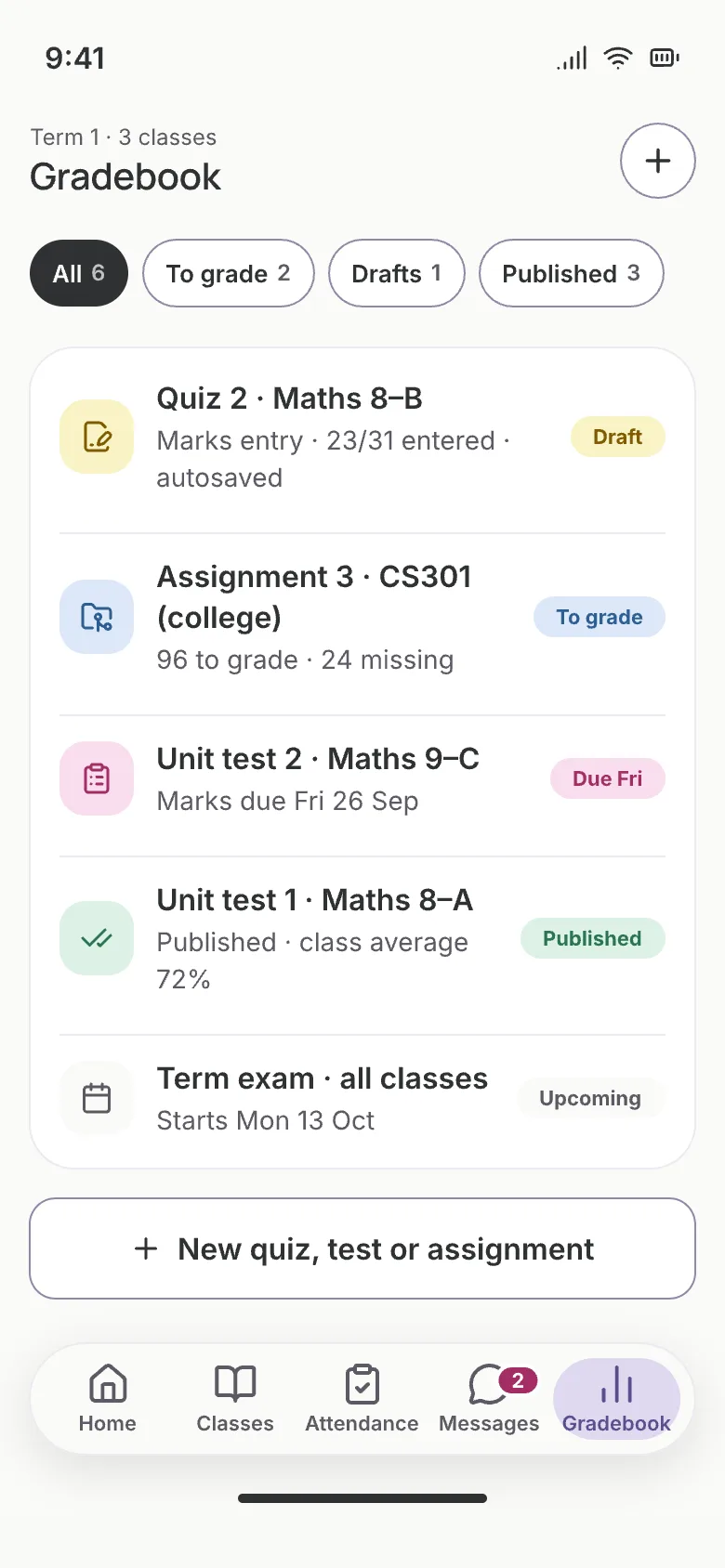
Auto-grading
Objective questions are marked on submission. Written answers can be scored by AI against your rubric, with the teacher reviewing and overriding.
Performance analysis
See which questions most students missed and which topics need reteaching, and compare sections side by side.
Competitions
Run olympiads and inter-school contests with rankings, leaderboards and certificates, including multi-round formats.
Practice mode
Students practise with instant feedback and explanations, and earn points and badges for keeping at it.
Also included
- AI-assisted essay scoring
- Generate questions from a topic
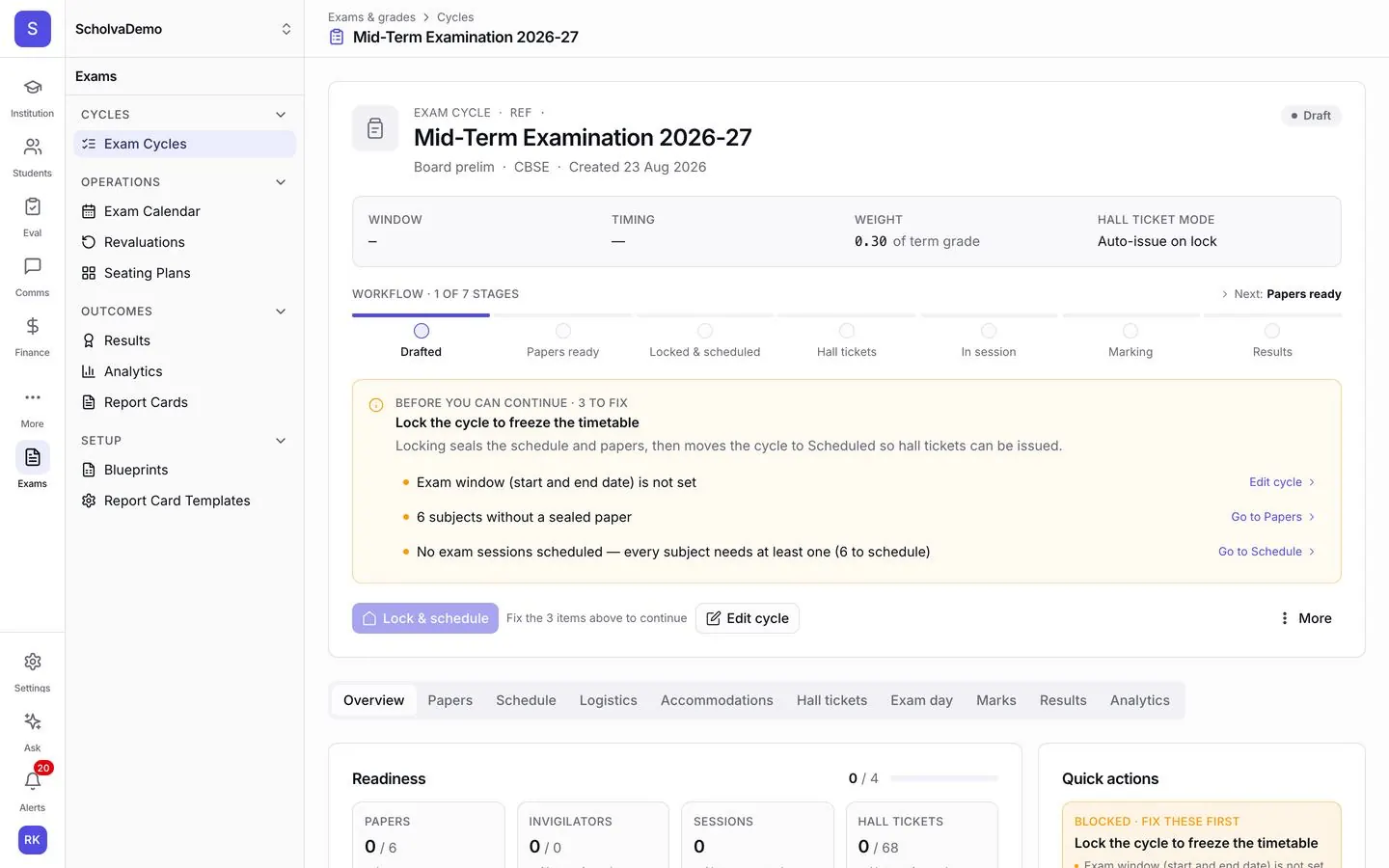
- Test blueprints
- Accommodations for students who need them
- Bulk question import
- Practice tests
- Attempt analytics
- Hall tickets
How it works
Up and running in 3 steps.
Our team helps you set up and import your data, then the module runs as part of the everyday work.
Build your question bank
Import questions from CSV or JSON, write them in the editor or draft them with AI and review each one.
Create and assign tests
Choose questions, set time limits and marking schemes, and assign to classes or individual students.
Review results and act
Check graded results, see topic-level gaps and share reports with students and parents.
Connected by design.
Assessments uses subjects and classes from Academics, feeds marks into report cards, runs in the student portal, reports into Analytics and powers contests in Gamification.
Explore other modules
14 modules, one shared record.
Transport
Routes and stops on a map, vehicles and drivers, boarding logs and arrival alerts for parents.
Learn moreFee Management
UPI, cards and net banking with automatic receipts, installments, concessions and reconciliation.
Learn moreVisitor Management
Gate passes with photo capture, host notifications and blacklist alerts.
Learn moreInventory
Tag every asset, track consumables and vendors, and raise purchase orders.
Learn moreQuestions, answered.
What schools usually ask about Assessments. Anything else, our team is happy to help.
Give teachers their weekends back.
Free for up to 200 students. Our team helps you set up, import your data and train your staff.